A 500 Mbps internet connection is a solid choice for homes with multiple devices and different online activities. In this guide, I will discuss how many devices a 500 Mbps connection can support, from everyday browsing and streaming to gaming and video calls.
How Many Devices Can 500 Mbps Handle?
A 500 Mbps internet plan delivers enough bandwidth for 8 to 12 devices running heavy tasks like 4K streaming or online gaming at the same time. If your household mostly browses the web, checks email, and runs smart home gadgets, that same connection can support 30 or more active devices without breaking a sweat. Figuring out how many devices can 500 mbps handle? depends entirely on what those devices are doing.
Bandwidth Basics For Home Networks
Internet speed measures how much data travels between your home and the wider web every second. A 500 Mbps connection moves 500 megabits of data per second. That number represents total capacity, not a guaranteed speed for every single phone or laptop in your house. Every device connected to your network draws from this shared pool.
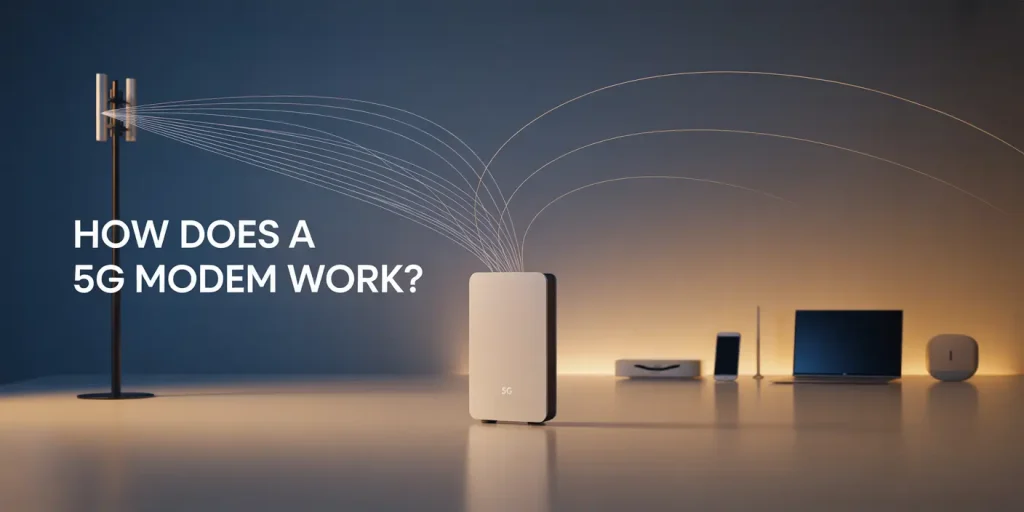
Think of it like water flowing through a main pipe. Turning on one faucet gives you full pressure. Opening five faucets splits that pressure across all of them. Your 5g modem/router manages this distribution. When multiple people stream video, download files, or join video calls simultaneously, each activity claims a portion of the 500 Mbps limit. Understanding this shared nature explains why a fast plan sometimes feels slow during busy evening hours when everyone is online.
Real Device Speed Requirements
Different activities demand different amounts of bandwidth. Knowing these numbers helps you calculate your actual needs instead of guessing.
- 4K HDR video stream: 15 to 25 Mbps per stream
- 1080p HD video stream: 5 to 8 Mbps per stream
- Video call (Zoom or Teams): 3 to 5 Mbps upload and download
- Online gaming: 1 to 5 Mbps (latency matters more than raw speed)
- General browsing and social media: 1 to 5 Mbps
A family watching two 4K movies uses about 50 Mbps. Add three kids playing online games (roughly 15 Mbps total) and someone on a work video call (5 Mbps). You have used 70 Mbps. The remaining 430 Mbps leaves plenty of room for phones, tablets, and background updates. Heavy usage only becomes a problem when dozens of high-bandwidth tasks overlap perfectly.
Active Versus Passive Connections
Your router counts every connected gadget, but not all of them pull data constantly. Active devices stream video, download files, or participate in calls. Passive devices sit idle or perform tiny background tasks like checking for email notifications or maintaining a smart thermostat connection.
A 500 Mbps plan comfortably supports 8 to 12 actively working devices doing demanding things. Meanwhile, up to 35 passive or lightly used devices can remain connected without impacting performance. Smart bulbs, security cameras in standby, and idle laptops consume almost nothing until triggered. This distinction matters because modern homes easily accumulate 20 or 30 Wi-Fi enabled items. Most of them sleep quietly. Only a handful actually compete for your 500 Mbps pipeline at any given moment.
Household Size And Usage Patterns
The number of people living under your roof dictates how hard your connection works. A single person or couple rarely maxes out 500 Mbps unless they transfer massive files daily. Families of four to six people fit perfectly into this tier.
| Household Profile | Typical Active Devices | Fits 500 Mbps? |
|---|---|---|
| Single user | 1 to 3 | More than enough |
| Couple (remote work plus streaming) | 3 to 6 | Comfortable |
| Family of 3 to 4 | 6 to 10 | Good headroom |
| Household of 5+ power users | 10 to 15 | Borderline during peak times |
Homes with five or more heavy users running simultaneous 4K streams and large game downloads might occasionally hit the ceiling. For most families, 500 Mbps provides overhead to spare even during busy evenings.
Router Limits And Wi-fi Standards
Your internet plan is only half the equation. The router hardware determines how efficiently that 500 Mbps reaches your devices. Older Wi-Fi 5 (802.11ac) routers handle about 10 to 25 active devices well. Newer Wi-Fi 6 (802.11ax) models manage 50 to 75 active connections using technologies like OFDMA that organize traffic better.
If you pay for 500 Mbps but use an outdated router, your wireless speeds will bottleneck long before the ISP limit is reached. Wi-Fi 6E adds a 6 GHz band that reduces congestion further. Always match your router generation to your device count. A cheap router paired with a fast plan creates a frustrating experience where phones drop connections despite having plenty of available bandwidth from your provider.
Upload Speeds Are Often Overlooked
Most 500 Mbps plans advertise download speed. Upload speed is frequently much lower, often around 20 to 50 Mbps on cable networks. Fiber plans usually offer symmetrical speeds (500 down, 500 up), but cable connections do not.
Upload bandwidth matters heavily for video calls, cloud backups, live streaming, and sending large files. If three people join Zoom meetings while another uploads photos to iCloud, that 30 Mbps upload pipe fills instantly. Symptoms include frozen video calls and failed file transfers even when download tests look fine. Check your specific plan details. Run an upload test during peak hours. Pause automatic cloud sync services if your video calls stutter regularly. Contact your ISP if upload speeds consistently fall below advertised rates.
Testing Before Buying New Hardware
Before upgrading your plan or buying a new router, verify where the actual bottleneck lives. Follow these steps to isolate the problem.
- Run a wired speed test by connecting a laptop directly to the router via Ethernet. Compare this result to your Wi-Fi speed test.
- If wired speeds hit 480+ Mbps but Wi-Fi drops to 150 Mbps, your router or wireless interference is the issue.
- Check your router admin page for connected device counts and channel congestion.
- Test speeds during off-peak hours (early morning) versus peak hours (evening) to identify ISP congestion.
- Pause background downloads or cloud syncs temporarily to see if performance improves.
These tests reveal whether you need better hardware, a different Wi-Fi channel, or actually require more bandwidth from your provider.
When To Consider Faster Plans
A 500 Mbps connection handles typical family life smoothly. Certain situations justify paying for gigabit service instead. Content creators who upload huge video files daily benefit from higher upload tiers. Households with dedicated servers or frequent 100GB game downloads save meaningful time with faster pipes.
Downloading a 100GB file takes roughly 27 minutes on 500 Mbps compared to about 13 minutes on a gigabit connection. Multi-office homes where several adults work remotely with heavy data needs might also outgrow this tier. For pure entertainment, streaming, and standard remote work, jumping to 1 Gbps rarely produces a noticeable difference in daily life. Save the money unless your specific workflow demands sustained maximum throughput across many devices simultaneously.
Quick Summary
A 500 Mbps internet plan supports 8 to 12 devices performing heavy tasks like 4K streaming or gaming, and over 30 devices doing light browsing or running as smart home gadgets. Actual capacity depends on upload limits, router hardware, and whether devices are actively pulling data or sitting idle. Test your wired versus wireless speeds before upgrading anything.
FAQ
Is 500 Mbps Enough For Working From Home?
Remote work typically requires 3 to 5 Mbps for video calls and basic file transfers. A 500 Mbps plan provides far more than necessary for one or two people working from home, leaving plenty of bandwidth for other household members to stream or browse simultaneously.
Does Adding Smart Home Devices Slow My Network?
Smart plugs, bulbs, and thermostats use minimal bandwidth, often less than 1 Mbps each while idle. You can connect dozens of these passive devices without noticeably affecting your 500 Mbps speed. Only devices that constantly stream video, like security cameras, consume significant resources.
Why Does My 500 Mbps Plan Feel Slow Sometimes?
Slowdowns usually stem from Wi-Fi interference, an outdated router, or saturated upload bandwidth rather than your ISP download limit. Run a wired Ethernet speed test to confirm your modem receives the full 500 Mbps before troubleshooting wireless issues or calling your provider.